Components
LiberaForms is made up of seven different components:
- Public forms
- GDPR wizard
- The server
- Data display component
- Form templates
- Inline help
- Form Builder
Both the Public forms and the GDPR wizard components are stand alone, meaning we can incorporate the translation into LiberaForms even when the other components have not been translated to your language.
All other components are incorporated together, un bulk, meaning that they must all be at least 80% +/- translated before they will be included in the application.
We encourage you to use Weblate to translate LiberaForms. You can see an overview here.
1. Public forms
This is a good place to start. Only 18 strings to translate and very useful to form creators.

Use the Weblate page here to translate form strings.
4. GDPR wizard
This application helps users write a suitable text that complies with the General Data Protection Law (GDPR).
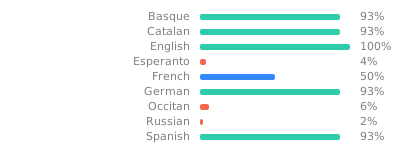
Use the Weblate page here to translate the GDPR wizard.
Legal jargon
The wizard includes some legal jargon. If in doubt, please contact L10n@liberaforms.org
3. The server
The server generates web pages and runs background tasks like sending emails.
This component has the most strings.
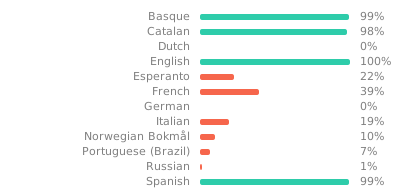
Use the Weblate page here to translate the server.
Markdown files
There are also two Markdown files that need to be translated.
- The site blurb. This is the text that is displayed on the
/indexpage by default. - Wizard disclaimer. Users are required to read this text before using the GDPR wizard.
To translate these files you can either:
- Create a Gitlab account and make a merge request to this branch
- Send your translation by email to
L10n@liberaforms.org
4. Data display component
This component is used in many places throughout the interface to display different types of data.
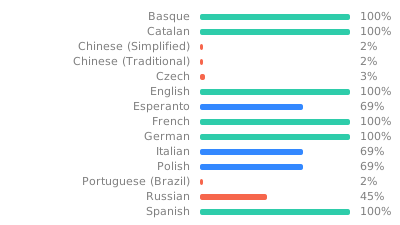
Use the Weblate page here to translate the Data display component.
5. Form templates
Users can create forms with these form templates.
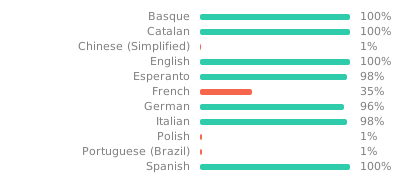
Use the Weblate page here to translate the form templates.
6. Inline help
LiberaForms comes with built-in documentation to help orientate users.
There are a lot of strings here too.

Use the Weblate page here to translate the inline help.
7. Form Builder
Users assemble forms using this interface area.
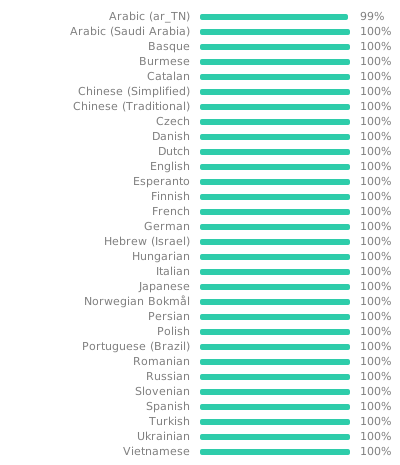
Use the Weblate page here to translate the Form Builder.